Seller Central
See your own side of the product, in the same panel.
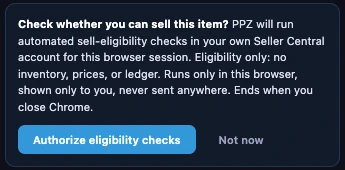
Profit Zones can read your Seller Central session to show whether you're approved to sell the item, where your FBA units sit, what's in transit, and your own price. It asks first, every browser session, and it only reads.
Approval check Free
Can you sell it? Know before you buy.
A lock in the panel header shows your approval status for the listing: green when you're approved, yellow when approval is needed, red when the item is restricted. Click the lock to open the approval page for that ASIN in Seller Central.
This is the one Seller Central read on the free plan. Authorizing it covers the approval check only.
Your inventory Premium US only
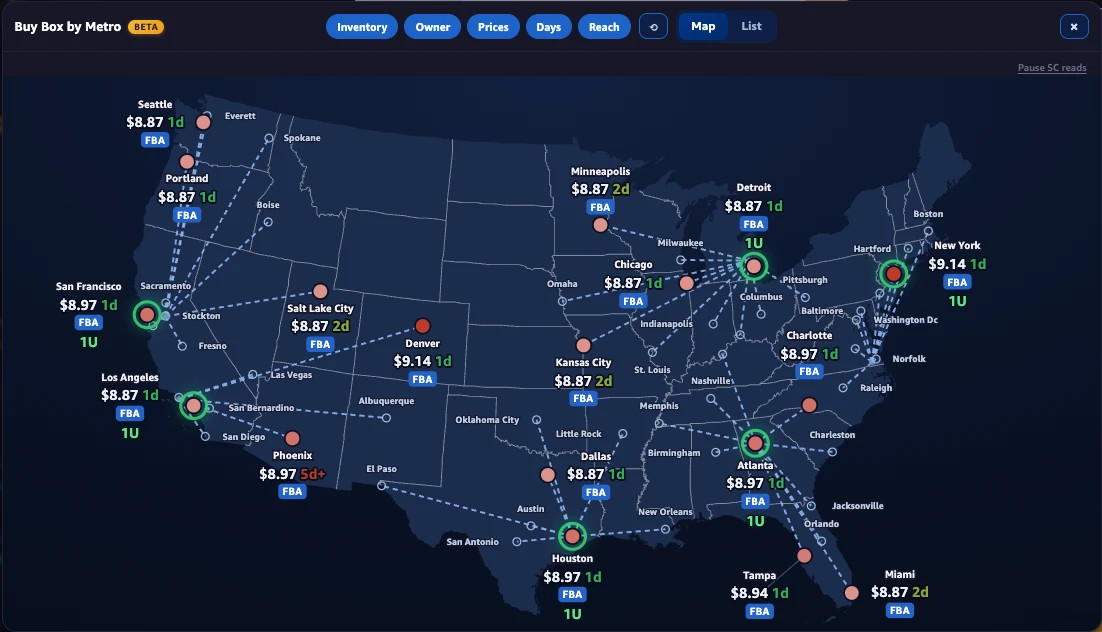
Your FBA units, by fulfillment center and in transit.
Profit Zones reads your FBA Inventory Ledger and shows your on-hand units by fulfillment center, matched to the metros on Buy Box by Metro. Units moving between centers get their own marker, so in-transit stock doesn't disappear.
The ledger runs about a day behind.
Your price and your list Premium
The rest of your account, where you work.
Your Price
Your live listing price from Seller Central, in the panel and as a row on your share card. One setting hides it from shared images.
Bulk approval sweep
In the Bulk Analyzer, mark every ASIN on a list Approved, Approval required or Restricted. About Bulk
Fetch My Prices and inventory export
Pull your own price for every scanned ASIN, or download your FBA inventory as a CSV for your repricing tool.
How consent works
Nothing reads Seller Central before a click, and consent ends when Chrome closes.
- It asks before any Seller Central read. You need to be signed in to Seller Central, and you authorize Profit Zones with one click. Until you do, it reads nothing.
- Two levels. The approval check has its own narrow consent. Inventory, in transit and Your Price need a separate, wider consent and an active Premium license.
- One browser session. Consent lasts until you close Chrome. Next time, it asks again.
- Read only. Profit Zones never changes anything in your account. It never reads or sends your password.
- It stays with you. What Profit Zones reads from Seller Central is shown in your browser and is not sent to us. The one exception is a warehouse code you click to report.
- It identifies itself. Every request carries an Agent tag with our name, as Amazon's agent policy requires.
- If Premium lapses, the wider consent falls back to the approval check only.
Read how Profit Zones accesses your data, or the research paper on the three ways software can get into Seller Central.
Check approval on your next listing.
The approval check is free. Add Premium for your inventory, in transit and Your Price.