Bulk Analyzer Premium
Score a whole list, not one page at a time.
Drop in a list of ASINs and every one gets a full Profit Zones read with your costs, your fees and your 3-Step Check. Zero Keepa tokens by default. No cap on list size.
How it works
Load a list. Let it run. Triage the results.
- Bring your list. Drop in a CSV, paste ASINs, or reopen a saved scan. Bulk works with the CSV exports from your sourcing tools: it finds the ASIN, cost, title and source columns by name, and you can map any column yourself and save the layout.
- Scan. Bulk reads Keepa's data already in your browser first. For anything not there yet, it opens a scanner window that loads the Amazon pages so the Keepa extension can read them. No API tokens are used during scanning. Pause, resume or cancel any time, and add more ASINs while it runs.
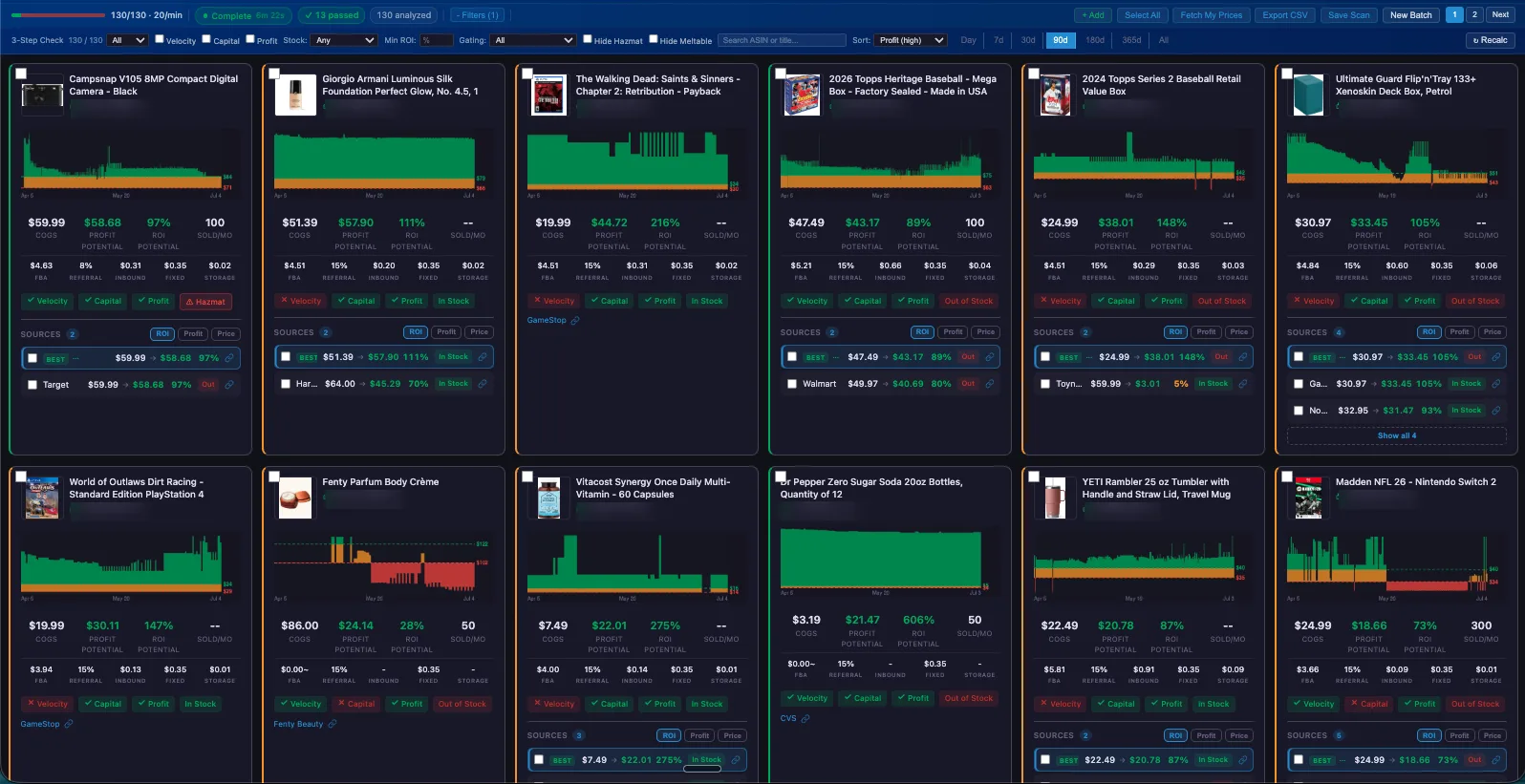
- Triage. Every ASIN gets a full card: zones, ROI, profit, the 3-Step Check, velocity, offers and flags. Filter, sort and export.
Tokens and speed
Zero tokens by default. You approve anything more.
If any ASINs are left that the scanner couldn't read, Bulk offers to fetch them through the Keepa API and shows a token estimate first. It never spends tokens on its own. A token reserve keeps some back for your everyday browsing.
No list cap
Run a short list or a long one. There is no limit on list size.
Around 600 an hour
Plan on roughly 600 ASINs an hour. Bulk shows its own time estimate before you start, and long scans may pause briefly to let Keepa catch up.
Every ASIN logged
The scan log records how each ASIN was read, the outcome and any tokens spent, so the cost of a run is never a mystery.
Triage
Filters and sorts built for buying decisions.
Filter
3-Step pass or fail (or any single step), stock, minimum ROI, approval status, Offer Spike, Box Filler, Days of Cover, Sales DNA evidence, and hide hazmat, meltable or adult items.
Sort
ROI, profit, velocity, price, sellers, days of cover, units moved in 30 days, and units sold over Keepa's Buy Box.
See Sales DNA on every card
Switch the whole page from Recorded Buy Box to Sales DNA, and each card shows its own field.
Export
Download the results as a CSV, with your fees, Days of Cover and Sales DNA columns included.
Never lose a run
Long lists are safe.
- Bulk auto-save. Every finished scan saves itself to your Downloads folder as a .ppz file you can reopen any time, with no tokens.
- Restore and resume. Reopen Bulk and it offers your last results. An interrupted batch offers to pick up where it stopped.
- Scan log export. Download the log as a CSV for your records.
With Seller Central
Your own account, across the whole list.
With your one-click consent for the browser session, Bulk can also use your Seller Central login. How consent works
Approval sweep
Marks every card Approved, Approval required or Restricted.
Fetch My Prices
Pulls your own listing price for each scanned ASIN, at a steady pace.
FBA inventory export
Paste ASINs and download a CSV of your FBA inventory for your repricing tool. No costs or tokens needed.
What you need
Before your first run
- Profit Zones Premium. Bulk is a Premium feature.
- A Keepa API key saved in Profit Zones settings. A Keepa API key is needed to open Bulk, even when a run spends no tokens.
- The Keepa browser extension, for the zero-token path.